

RPM Software or a Fully Managed Service: What Should Your Practice Compare?
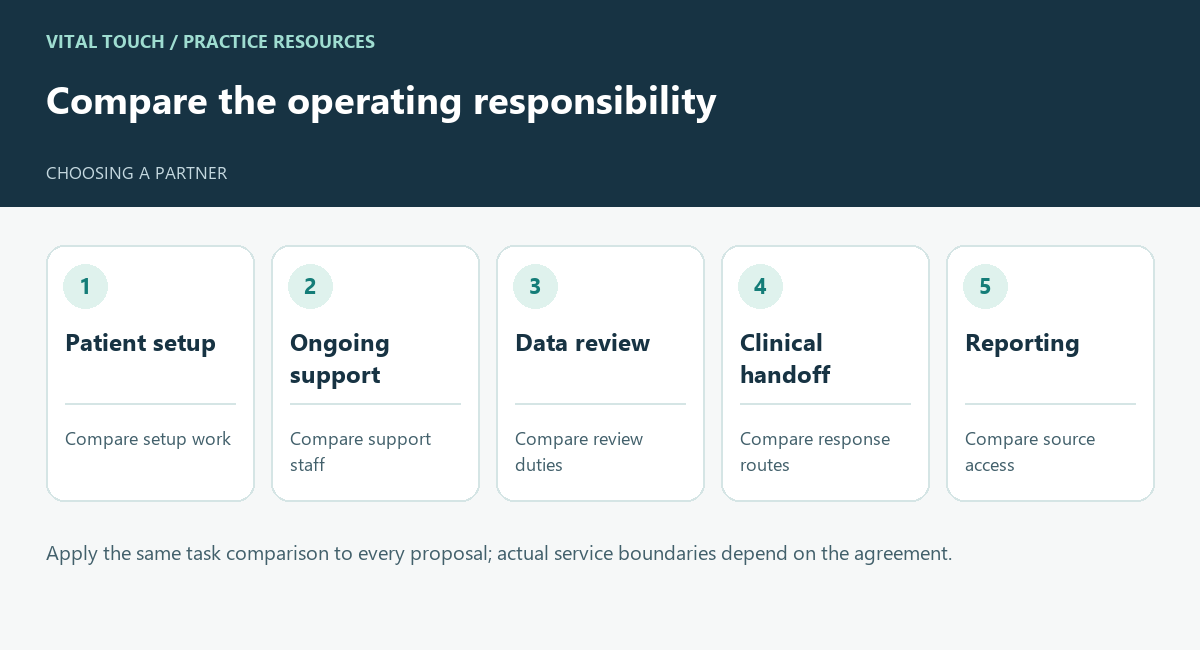
Apply the same task comparison to every proposal; actual service boundaries depend on the agreement.
RPM software and a fully managed RPM service can both support a remote-care program. The important difference for a practice is how much recurring work its own team must perform.
A software demonstration shows what a system can do. An operating review should establish who will use it, who will support patients, and who will keep the work moving when the office is busy. Compare proposals using the same tasks before comparing prices.
Start with a responsibility worksheet
List patient identification, enrollment, device setup, technical support, review of incoming information, patient outreach, escalation, documentation, and reporting. For each task, record the primary owner, backup owner, and evidence that it was completed.
Do not assume every software vendor leaves all work to your practice or that every managed service includes every task. Service boundaries differ. Ask each vendor to complete the worksheet using its actual proposal and contract.
Compare the staffing requirement
For a software-led approach, ask who in your practice has protected time to operate the program. Include training, coverage during absences, management attention, and support when patients need help.
In Vital Touch’s model, the care-management team handles enrollment, device education and support, monitoring, patient follow-up, care coordination, and documentation. Vital Touch prepares the code information for the biller; clinical decisions remain with the practice. Compare that scope with the specific staffing and tasks included in each competing proposal. Ask which personnel are assigned to your practice, what qualifications apply to their work, and how your clinicians communicate with them.
Walk through an ordinary problem
Choose one example for every vendor: a patient receives a device but cannot send a reading. Ask who notices the problem, who contacts the patient, what the office must do, and how the issue becomes visible in reporting.
Then test a clinical handoff. Ask how a concern reaches the practice, who acknowledges it, and how follow-up is recorded. These walkthroughs reveal responsibilities that may be difficult to see in a feature list.
Compare the whole cost
Evaluate software fees alongside staffing, devices, support, integration work, and administrative oversight. For managed proposals, request a clear explanation of included services, excluded work, fee calculation, and termination arrangements.
Keep projected collections separate from the cost comparison. A revenue model can be useful, but only when its assumptions are explicit and your billing team can evaluate them.
Match the model to your capacity
A practice with a dedicated remote-care team may value configurable software and direct operational control. A practice with limited staff capacity may prefer a partner that owns more recurring tasks. The right choice depends on available people, clinical workflows, and the service agreement.
Vital Touch describes its offering as a fully managed operating model with enrollment, monitoring, outreach, documentation, and billing support. Review the service scope, then use the same worksheet to compare it with other options.
