

What Should an RPM and CCM Monthly Report Show?
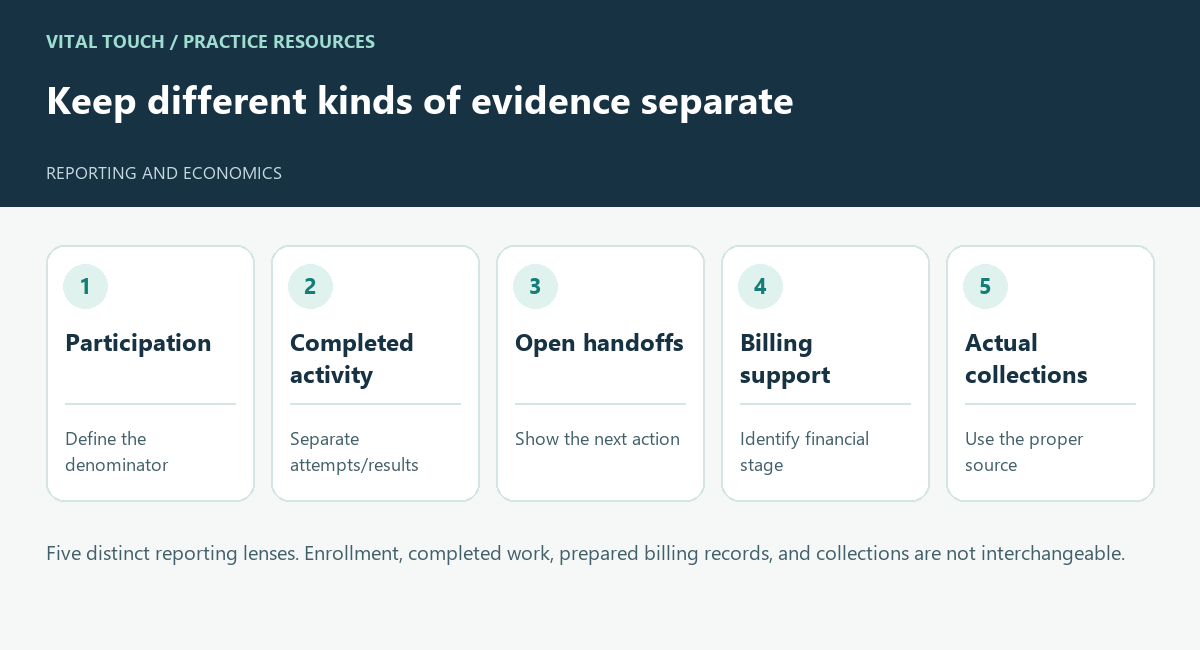
Five distinct reporting lenses. Enrollment, completed work, prepared billing records, and collections are not interchangeable.
An RPM and CCM monthly report should help your practice understand what happened during the period and what needs attention next. Enrollment totals and a revenue chart may be useful, but they do not describe the whole operating workflow.
Ask an operating partner to show how its reporting distinguishes participation, completed activity, unresolved work, billing support, and actual collections. Each answers a different question.
Give every measure a definition
For each reported measure, ask what is being counted, which period it covers, and where the information comes from. Current enrollment is different from participation during a selected month.
If a report includes a percentage, ask for its denominator. A contact rate among scheduled outreach attempts is different from a rate among all enrolled patients. Clear definitions allow your team to compare periods without assuming the figures mean more than they do.
Show the work behind the total
Ask whether the team can trace a summary to appropriate underlying records through an authorized review process. That does not mean exposing patient details to every person reading an executive report.
Separate attempted activity from completed activity where the distinction affects the next action. A contact attempt, a completed conversation, and a resolved patient question should not silently become the same event.
Keep open issues visible
Include a way to review unresolved device problems, patient-contact barriers, clinical handoffs, and documentation questions. Each item should have an owner and a next step.
Agree on which exceptions require practice involvement. A concise report can summarize their status while preserving a secure route for the people authorized to review the details.
Separate operations from financial results
Vital Touch’s operational records and code reporting describe the care-management work performed. The biller’s claim-status and collections reports describe what was submitted, paid, denied, or remains pending. Those records support reconciliation and invoicing. Ask to see the actual reporting arrangement proposed for your practice rather than assuming every item in this checklist appears in a single report. Ask which stage each financial figure represents and how it ties to the appropriate source.
Label estimates as estimates. If a value is unavailable or unverified, make that status explicit rather than replacing it with zero. A modeled opportunity should not be presented as cash received or a guaranteed outcome.
Explain corrections and freshness
The report should identify its reporting period and update status. Ask how late information or corrections are handled and whether your team can understand a changed total.
When comparing months, check that definitions and source coverage remain consistent. An increase caused by a reporting change should not be described as operating improvement without supporting evidence.
Use a sample report in vendor discussions and ask the partner to explain one total from source to summary. Vital Touch’s services describe reporting and documentation support; the next step is to evaluate the actual reporting workflow proposed for your practice.
